
|



|



Shooting conditions may become pale down low contrast picture.
For example,
For example,
- The lens flare.
- Effect of the steam when using a telephoto lens.
- Backlighting photos.

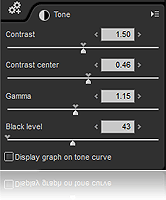 The default setting is completely black part of the specified RGB values ??(R0, G0, B0) has to set.
*How to use
There are two kinds of black.
For example, a car tire. This is a black color.It has the tone.
Another black in space.It does not have the tone.This is completely black.
Please specify the completely black in black level tools.

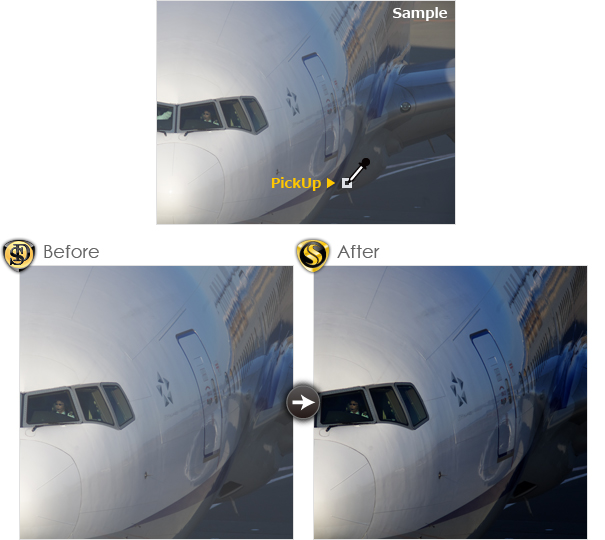
It is too pale color photographs. This is due to the dark too bright.
Choose black with black-level tools.
The adjusted later became a good tone.
Choose black with black-level tools.
The adjusted later became a good tone.

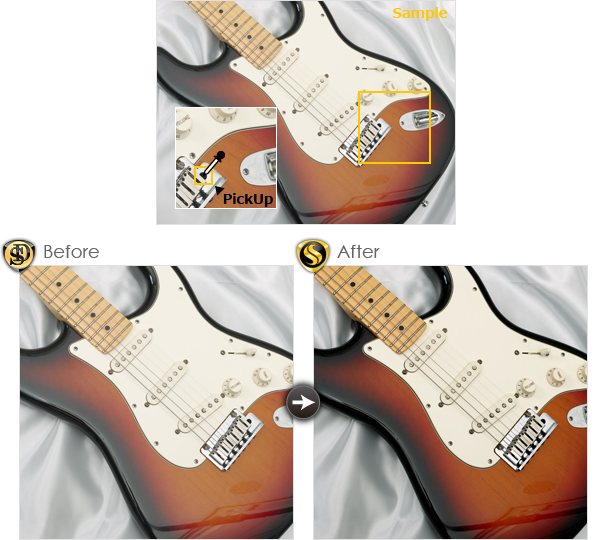
Example of using the flash.
Dark areas are taken in too bright.The weak tones for it.
So, choose a hole in the guitar.The dark tone was set.
Dark areas are taken in too bright.The weak tones for it.
So, choose a hole in the guitar.The dark tone was set.
